Karinderya Decorations Guide
Choopy boxes, 21 Tiles, Counter Upgrades, Table Tops, and Dishwasher — how to get and place every decoration.
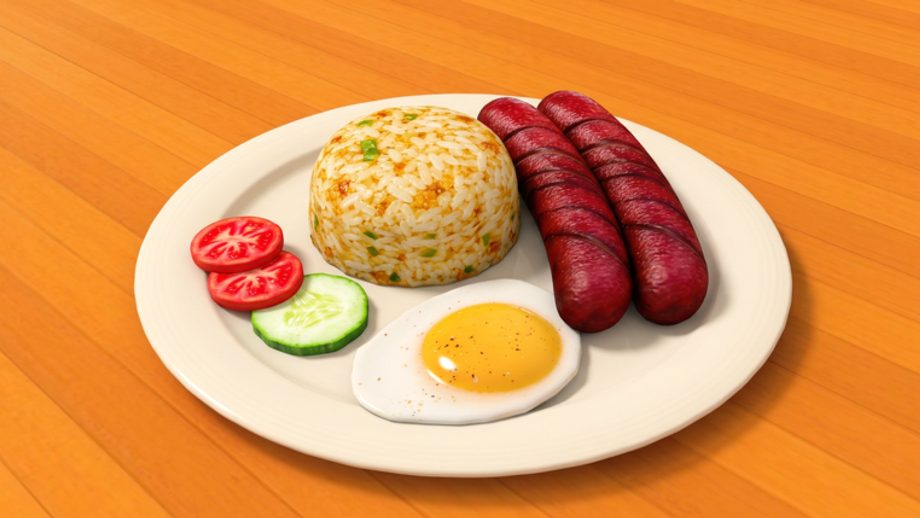
The Decorations Pt. 1 update landed on 29 August 2026 and added Karinderya’s first proper visual customization layer. Players can now buy Tiles for the floor, upgrade the serving counter, place items on tables, and receive mystery-box deliveries via the new Choopy system. This guide covers every confirmed decoration path, what prices to expect, and how to use the Customize menu without blocking your own serving lanes.
This page is part of the Guides Hub. If you are still learning assign-cook-serve-collect, start with getting started first. Decorations are visual upgrades that come after the restaurant loop is stable.
What Decorations Pt. 1 added
The in-game update log for 29 August 2026 listed four additions:
- Tiles — 21 floor designs purchasable in the Shop
- Counter Upgrade — new counter finishes at the small table near the Shop entrance
- Table Tops — placeable items on dining tables via the Customize menu
- Dishwasher — a new appliance with reported capacity and cleaning reports
The live game also shipped Choopy, a mystery-box delivery system accessible through the Phone. Two new codes (DECOPART1 and 50KCCU) accompanied the update.
Choopy: mystery box delivery system
Choopy is Karinderya’s first random-reward delivery mechanic. You access it through the Phone button on the right side of the game interface.
How to use Choopy
- Open the Phone on the right side of the screen
- Select Choopy from the phone menu
- Purchase a Normal box for ₱10,000 (reported price, verify in your server)
- Wait approximately 5 minutes for delivery
- Check outside the restaurant entrance for the delivered box
- Interact with the box to receive a random decoration item
- Approach a table, press Customize, and place the item in an available slot
The Normal Choopy box delivers one random item. Observed rewards have included Rare Liquid! but the complete item pool is not confirmed. Each purchase is independent — there is no pity timer or guaranteed rare.
Choopy workflow tips
- Check outside the restaurant entrance if the box does not appear inside
- Box delivery is not instant; the reported ETA is around 5 minutes
- Verify current prices in your Phone panel before spending — values may change after patches
- Place received items through Customize on a specific table, not through a general inventory
Tiles: 21 floor designs
The Shop now stocks 21 Tile designs for your restaurant floor. Each Tile listing in the Shop shows either:
- A 159 Robux purchase option (premium), or
- A ₱500,000 cash purchase when cash stock is available
Not all Tiles may be available in your server at all times. Stock rotates on the same timer that affects other shop categories.
Choosing Tiles
- A Tile change affects the visual floor beneath your furniture
- Tiles do not appear to change gameplay mechanics (no confirmed speed, income, or star bonus)
- Choose based on the look you want for your restaurant theme
- Consider how the Tile color interacts with your counter, table, and chair colors
Counter Upgrade
The Counter Upgrade interaction is at the small table to the left of the Shop entrance. Interact with it to access upgrade options:
- Default Counter — Equipped by default, free
- RedWood Counter — Available to equip, free — changes the serving counter inside the restaurant to red while keeping the register and food trays in place
- ElegantWood Counter — Costs ₱80,000 with a 10-minute delivery timer — a premium finish
Counter Upgrade tips
- The upgrade only changes the serving counter’s appearance, not its function
- No confirmed star or income bonus from a specific counter finish
- Treat counter aesthetics as personal preference after the restaurant loop is stable
Table Tops and Customize menu
Once you own a decoration item (from Choopy or direct purchase), you can place it on any compatible table:
- Approach a dining table
- Press the Customize button
- Select an available decoration slot
- Choose the item you want to place
Table decorations appear on the surface of your dining tables. They are purely visual in the current build — no confirmed gameplay effect on tips, patience, or star rating.
Dishwasher
The Dishwasher was listed in the Decorations Pt. 1 update log. Community reports describe it as a cleaning appliance with capacity reports, but the following remain unverified:
- Exact cleaning speed or cycle time
- Effect on plate flow or customer patience
- Interaction with the serving counter
- Whether it auto-cleans or requires manual activation
Do not make capacity decisions based on the Dishwasher until you can confirm its behavior in your server. Check the Shop after each update for current availability and terms.
New codes with Decorations Pt. 1
Two codes shipped with the August 29, 2026 update:
- DECOPART1 — 5,000 Cash + 2x Cash Potion
- 50KCCU — listed in the August 29 update log (verify rewards in your server)
Older codes 2MVISITS and 3MVISITS remain active. BATINATAYOHA is expired. See the Codes Hub for the full active list and expired codes for retired keys.
Decorations and the restaurant loop
Decorations are the last step in running a Karinderya, not the first. Before spending on Choopy boxes or ElegantWood counters:
- Place enough table-and-chair pairs to seat your guest line
- Upgrade your stove if cook speed is the bottleneck
- Keep condiment and ingredient stock above zero
- Confirm the restaurant loop is stable before spending on visuals
A restaurant with perfect floors and empty plates earns no stars. A restaurant with matched seating, working stoves, and full stock earns revenue that can later fund aesthetics.
Design tips from field observation
- Treat counters, seats, stoves, and serving lanes as the functional layer first
- Apply visual customization only after guests and players can move through the service loop clearly
- Choose one visible material or color family for the floor, counter, and table accents
- A table decoration is easier to notice when nearby tables are not competing for attention
- Place one item, step back, and inspect the room before filling every slot
Quick-reference checklist
Before you buy a Choopy box or Counter Upgrade, ask:
- Is my stove keeping up with seated guest volume?
- Do I have enough matched table-and-chair pairs?
- Are condiments and ingredients above zero?
- Is the restock timer about to refill something I need?
- Can I afford ₱10,000+ on visuals without risking a rush without stock?
If the first three are not solid, decorate later. If they are solid, choose based on budget and personal taste.
This guide will be updated if Decorations Pt. 2 or later patches add new catalog items, confirmed Dishwasher behavior, or additional Choopy tiers.
Frequently Asked Questions
Quick answers for Karinderya players.
How do I access Choopy in Karinderya?
Open the Phone on the right side of the game, then select Choopy from the menu. Purchase a Normal box, wait about 5 minutes for delivery, then check outside the restaurant entrance for the box.
How much does a Choopy box cost?
The Normal Choopy box was reported at ₱10,000 with a 5-minute delivery. Verify the current price in your Phone panel — values may change after patches.
How many Tile designs are there?
There are 21 Tile designs in the Shop. Each shows either a 159 Robux price or ₱500,000 cash when stock is available.
What Counter Upgrades are available?
The RedWood Counter is available to equip (free). The ElegantWood Counter costs ₱80,000 with a 10-minute delivery. Both are purely visual.
Does the Dishwasher have a confirmed gameplay effect?
No. The Dishwasher was listed in the update log but community reports have not confirmed its cleaning speed, capacity, or mechanical effect. Verify in your server.
What new codes came with Decorations Pt. 1?
DECOPART1 (5,000 Cash + 2x Cash Potion) and 50KCCU shipped with the August 29, 2026 update. Check the Codes Hub for the full active list.